
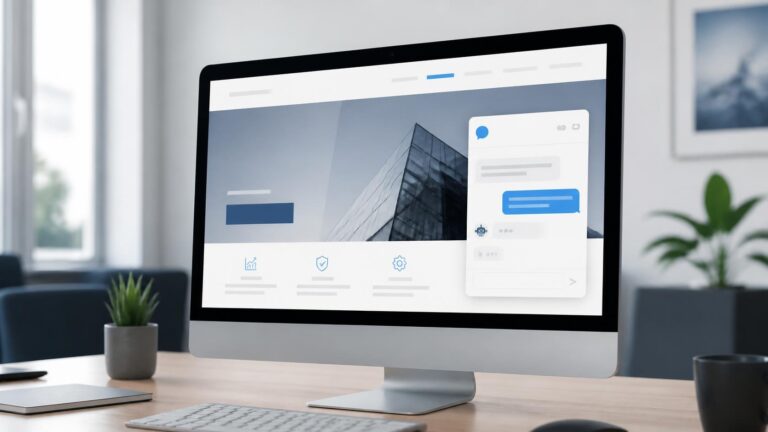
An AI chatbot for WordPress website can solve a common problem: visitors often leave when they cannot get an immediate answer. Delayed support creates missed opportunities. A well-planned chatbot can automate common questions, capture leads, and connect visitors with your team.
An AI chatbot for WordPress website is an AI-powered chat system added to a WordPress site to answer visitor questions, provide support, collect information, guide users, and perform selected actions. Depending on the setup, it can use website content as its knowledge source, connect with services such as ChatGPT or Gemini, capture leads through conversational forms, and escalate complex conversations to a human team.
For many businesses, the value is not simply having a chatbot. The real objective is turning a static WordPress site into an interactive experience that can answer, engage, qualify, and guide visitors at the right moment.
AI Chatbot for WordPress Website: What Is It and How Does It Work?

An AI chatbot for WordPress website combines a chat interface with artificial intelligence, business rules, website information, and selected integrations.
A conventional website waits for visitors to browse pages, find a contact form, or send an inquiry. A chatbot changes that interaction by allowing visitors to ask questions in natural language.
A typical setup may include:
- A chat widget displayed across selected pages.
- A knowledge base based on website content or approved business information.
- AI models such as ChatGPT or Gemini.
- Rules for common questions and actions.
- Lead capture forms.
- Appointment or inquiry workflows.
- Human escalation for requests that need staff involvement.
Some WordPress chatbot plugins also support Retrieval-Augmented Generation, allowing a bot to retrieve information from website pages or connected knowledge sources instead of relying only on a generic language model.
This matters because a useful business chatbot should sound informed about the business itself rather than behaving like a general-purpose AI assistant.
How Can an AI Chatbot Improve a WordPress Site?
An AI chatbot can improve a WordPress site by reducing repetitive support work while helping visitors reach relevant information faster.
A visitor may ask:
“Do you offer installation?”
“What are your opening hours?”
“Which service is right for my business?”
“Can I request a consultation?”
Instead of forcing the visitor to search several pages, the chatbot can answer directly or guide the user to the correct next step.
For customer support teams, this can help automate repetitive tasks such as FAQs, basic product questions, service information, contact requests, and initial qualification.
The goal is not to replace every human interaction. It is to handle predictable questions efficiently and allow staff to focus on conversations that require judgment, expertise, or personal attention.
The strongest implementation therefore combines automation with escalation.
When the chatbot reaches the edge of what it can safely or accurately handle, it should make the path to a human clear.
What Features Should You Look for in WordPress AI Chatbots?
The right WordPress chatbot should match the business workflow rather than simply offer the longest feature list.
Important capabilities include:
AI-powered answers
The chatbot should understand natural-language questions rather than forcing visitors through rigid menus for every interaction.
Website knowledge
A business chatbot becomes more useful when it can work with approved website content, FAQs, documents, products, or structured knowledge.
Lead generation
The conversation can collect a name, email, phone number, service interest, or other appropriate information before passing the inquiry to the team.
Conversational forms
Interactive forms can replace some static contact forms by asking questions one step at a time.
Actions and automation
Advanced chatbot software with advanced rules can trigger specific actions, such as directing a visitor to a service page, starting a qualification flow, or initiating an appointment process.
Live chat escalation
Visitors should have a clear route to live support when automation is insufficient.
Integrations
Useful integrations can include CRM platforms, calendars, forms, WooCommerce, webhooks, email systems, and communication tools.
Analytics
Conversation history and engagement data can help teams understand common questions, content gaps, and frequent support requests.
WPBot, for example, currently describes support for AI services, conversational forms, AI Actions, RAG-based knowledge, lead capture, scheduling, WooCommerce workflows, and human escalation. These are examples of capabilities available within the WordPress chatbot ecosystem rather than requirements for every website.
How Do You Add a Chatbot in WordPress Without Making the Site Complicated?
The simplest approach is to choose a suitable plugin or integration, configure the knowledge source, define behavior, and test the visitor journey before launch.
For a typical WordPress site, the process can follow these steps:
1. Define the purpose
Decide whether the chatbot will focus on support, lead generation, sales assistance, FAQs, appointment requests, or a combination.
2. Identify the knowledge
Collect the pages, FAQs, policies, product information, service descriptions, and other approved material the chatbot should use.
3. Define conversation paths
Create clear rules for common questions and actions.
4. Connect integrations
Add relevant forms, CRM systems, calendars, WooCommerce, email tools, or other business systems.
5. Add escalation rules
Determine when the bot should stop answering and route the conversation to a person.
6. Test real questions
Ask the chatbot direct, ambiguous, incomplete, and unexpected questions.
7. Monitor and refine
Review conversations regularly and update weak answers, missing information, and unnecessary steps.
A simple setup can often be installed through the WordPress admin area, while advanced configurations may require additional integration and development work. WPBot’s current WordPress.org documentation, for instance, describes installation through the WordPress plugin system and activation from the dashboard.
Which AI Models and Tools Can Power a WordPress Chatbot?

WordPress chatbots can connect to different AI models and services depending on the plugin and architecture.
Commonly discussed options include ChatGPT, Gemini, Claude, and OpenRouter, while some chatbot systems also connect to additional services for search, automation, or business workflows.
The important question is not simply “Which model is best?” It is “Which setup produces the most useful experience for this website?”
For example:
- An FAQ chatbot may need strong retrieval and simple rules.
- An ecommerce chatbot may need product and WooCommerce integration.
- A lead-generation bot may need conversational forms and CRM connectivity.
- A professional-services website may need qualification paths and appointment workflows.
- A support-focused chatbot may need live escalation.
Some platforms also support multi-model architectures, allowing a business to select or connect different AI providers. WPBot currently documents support for OpenAI, Gemini, OpenRouter and several other model providers.
AI Chatbot or Live Chat: Which Approach Is Better?
AI chatbot and live chat serve different roles, and many businesses benefit from combining them.
| Capability | AI Chatbot | Live Chat | Hybrid Approach |
| Instant responses | Strong | Depends on staff availability | Strong |
| FAQs | Excellent | Possible | Excellent |
| Repetitive support | Strong | Time-consuming | Strong |
| Complex requests | Limited by setup | Strong | Human escalation |
| Lead capture | Strong | Strong | Strong |
| Personal interaction | Limited | Strong | Strong |
| 24/7 availability | Yes | Usually limited by team coverage | Yes |
| Appointment workflows | Possible | Possible | Strong |
| Human judgment | Limited | Strong | Available when needed |
| Scalability | High | Team-dependent | High |
The hybrid approach is often the most practical because automation handles predictable requests while people handle exceptions.
A chatbot can provide live support for your customers in an automated first layer, then pass the conversation to a team member when the visitor needs something more specific.
Can a WordPress Chatbot Capture Leads and Book Appointments?
Yes, a chatbot can turn a basic website conversation into a structured lead-generation or booking workflow.
Instead of displaying a static contact form, the chatbot can collect information conversationally:
Bot: “What service are you interested in?”
Visitor: “Website development.”
Bot: “Are you looking for a new website or an existing site redesign?”
This approach can make forms feel more interactive while collecting information in a structured way.
Depending on the tools connected to the chatbot, the workflow can then send the inquiry to a CRM, email system, form platform, sales team, or scheduling system.
Advanced WordPress chatbot tools may also support conditional conversation paths, where the next question changes according to the visitor’s previous answer. WPBot currently documents conversational forms, conditional pathways, and appointment scheduling capabilities.
The practical value comes from designing the questions carefully. A bot that asks for too much information too early can create friction instead of reducing it.
How Should You Train and Control an AI Chatbot?
An effective chatbot needs controlled information, clear instructions, and ongoing review.
The phrase “AI-powered” should not mean “allowed to answer anything.”
Businesses should define:
- What information the chatbot can use.
- Which topics it should avoid.
- Which answers must come from approved business content.
- When it should admit that it does not know something.
- When it should escalate to staff.
- Which actions it is permitted to perform.
- What customer information can be collected and stored.
Retrieval-based systems can help ground responses in approved business information. Some WordPress chatbot solutions support RAG and website-content embeddings for this purpose.
Accuracy also depends on the quality of the source material. If the website contains outdated service details, unclear policies, or conflicting information, the chatbot may reproduce those problems.
In other words, chatbot quality begins with content quality.
How Can You Choose the Best AI Chatbot for Your WordPress Website?
The best AI chatbot is the one that fits the website’s actual goals, technical environment, content, and customer journey.
Before choosing a solution, compare:
Purpose
Is the priority support, ecommerce, lead generation, sales, bookings, or FAQs?
Knowledge
Can the system use your website content and approved business information?
Automation
Can it perform meaningful actions rather than only generate replies?
Integrations
Does it connect with the systems your team already uses?
Escalation
Can conversations move smoothly from AI to a real person?
Control
Can your team manage instructions, rules, content, and permissions?
Analytics
Can you review conversations and identify recurring questions?
User experience
Does the chatbot fit naturally into the website without distracting visitors?
A useful review should compare capabilities against business requirements rather than selecting a tool based on popularity alone.
How Can a WordPress Site Become More Interactive With AI?
A WordPress site can become an interactive digital assistant when the chatbot is connected to content, workflows, and meaningful actions.
Instead of treating AI as a floating chat bubble, businesses can use it as part of the website experience.
Examples include:
- Product discovery for ecommerce.
- Service recommendation flows.
- FAQ automation.
- Event registration assistance.
- Appointment requests.
- Quote or inquiry qualification.
- Support triage.
- Content discovery.
- Customer onboarding.
- Basic account or order questions.
This is where an AI chatbot becomes more than a plugin. It becomes a layer connecting the website with customer communication and business processes.
A well-designed experience can also support users who do not know which page they need. They can describe their problem naturally, and the chatbot can guide them toward the relevant page, service, form, or team member.
Quick Facts
- WordPress supports chatbot implementations through plugins and external integrations.
- Current WordPress chatbot solutions can combine AI, FAQ automation, conversational forms, lead capture, and human escalation.
- Some solutions can connect with multiple AI providers, including ChatGPT, Gemini, and other model services.
- RAG can be used to ground chatbot responses in approved website or business information.
- Ecommerce sites can use chatbots for product discovery, support, and selected WooCommerce workflows.
- A chatbot should complement human support rather than obscure access to it.
- Good website content improves the quality of a knowledge-based chatbot.
- Conversation analytics can reveal recurring customer questions and content gaps.
Common Misconceptions
“Every WordPress website needs an AI chatbot.”
No. A chatbot is useful when there is a clear customer-service, sales, information, or automation need.
“Installing the plugin is the whole project.”
Installation is only the technical starting point. Knowledge design, conversation logic, testing, integrations, and monitoring determine the actual usefulness.
“AI can answer every customer question.”
No. Businesses should define boundaries and provide escalation paths for complex or sensitive requests.
“More features always mean a better chatbot.”
Not necessarily. A simple chatbot with a strong purpose can create a better experience than a complex system filled with unnecessary functions.
“A chatbot automatically replaces live support.”
The stronger model is often automation first, human support when needed.
“Any website content can be used as training material.”
Content should be reviewed, current, relevant, and appropriate for the chatbot’s intended use.
How Mednetiks Helps
Mednetiks approaches an AI chatbot as part of the wider website ecosystem rather than as an isolated widget.
The process can connect website development, content creation, SEO, brand identity, and chatbot functionality so the AI experience feels consistent with the business.
This can include:
- Chatbot strategy and use-case planning.
- WordPress integration and configuration.
- Knowledge-base preparation.
- FAQ and conversation design.
- Lead-generation workflows.
- Forms and CRM integrations.
- Ecommerce chatbot workflows.
- Human escalation paths.
- Website content optimization.
- Brand-aligned chatbot interface design.
- Ongoing refinement based on real conversations.
This approach is particularly useful when a business needs its WordPress site to do more than display information. The website can become a practical communication layer that answers questions, guides visitors, and supports internal teams.
For businesses evaluating an AI chatbot for WordPress website, a structured technical and content assessment can help identify where automation genuinely adds value. Contact enquires@mednetiks.com, call +44 20 8144 5052, or visit 12–18 Sidcup House, Sidcup, UK.
Frequently Asked Questions
1. What is an AI chatbot for WordPress website?
An AI chatbot for WordPress website is a conversational tool integrated with WordPress that can answer questions, provide information, capture leads, guide visitors, and automate selected customer-service tasks.
2. Can I add a chatbot in WordPress without coding?
Yes. Many WordPress chatbot plugins use dashboard-based installation and configuration, although advanced integrations may require development or technical setup.
3. Can a WordPress chatbot use ChatGPT?
Yes. Some WordPress chatbot solutions can connect with OpenAI services and other AI providers, depending on the plugin and configuration.
4. Can an AI chatbot capture leads?
Yes. A chatbot can use conversational questions or forms to collect appropriate contact and qualification information and send it into connected business workflows.
5. Can a WordPress chatbot work with WooCommerce?
Yes. Certain chatbot solutions provide WooCommerce-related functionality, such as product assistance and selected ecommerce workflows.
6. Can a chatbot hand conversations to a real person?
Yes. Some chatbot systems provide hybrid support, allowing automated conversations to escalate to live agents or internal support channels.
7. How is an AI chatbot trained on a WordPress website?
Depending on the system, the chatbot can use approved website pages, FAQs, documents, structured data, or retrieval-based knowledge systems to provide business-specific answers.
8. Is an AI chatbot suitable for every business?
No. The best use cases are businesses with recurring questions, high inquiry volumes, product or service discovery needs, lead-generation workflows, or support processes that can be partly automated.
Credible Sources
Google Search Central (2026) AI Features and Your Website. Google Developers.
Google Search Central (2026) Search Essentials. Google Developers.
WordPress.org (2026) WPBot – AI ChatBot for Live Support, Lead Generation, AI Services. WordPress Plugin Directory.
WordPress.org (2026) WPBot Support and Documentation. WordPress.org.
WordPress.org (2026) WPBot Reviews. WordPress.org.
OpenAI (2026) API and developer documentation. OpenAI.
Google (2026) Gemini API Documentation. Google AI for Developers.
Anthropic (2026) Claude Developer Documentation. Anthropic.